From chaos to kept
Photo Organizer: Rescue Decades of Family Photos, One Box at a Time
Your photos are everywhere — shoeboxes, old phones, forgotten drives — and nowhere you can find them. The EverKeep Photo Organization System is the end-to-end rescue plan: gather, sort, cull, scan, name, back up, and pass on decades of family photos, one box at a time.
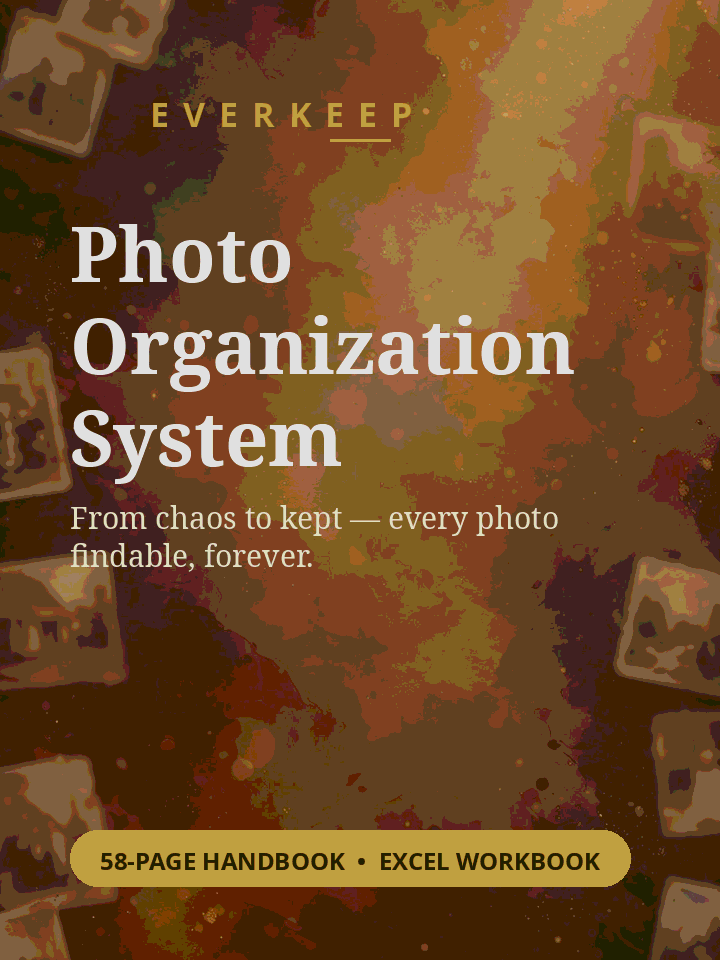
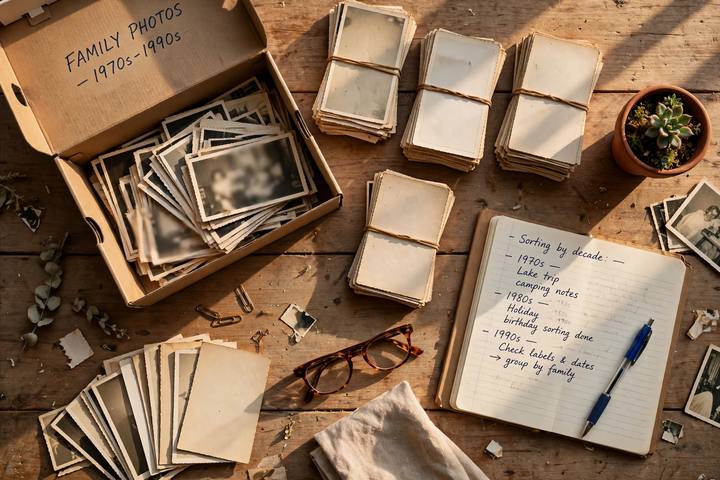
Everything organized, nothing forgotten.
Eight phases, one box at a time: census every photo location, sort with a simple code, cull without guilt, scan in priority order, name files so they’re findable, back up 3-2-1, care for originals, and pass it all on.
📦 Gather & Census
- Every-location photo census worksheet
- Container log: boxes, albums, drives, phones
- What counts as a container (and what doesn’t)
🗂️ Sort & Cull
- 3-dimension sorting codes (WHO–WHEN–WHAT)
- Box log worksheet + speed rules
- 3-pass culling method — decide fast, no guilt
🖨️ Digitize in Priority Order
- Priority scoring: age × uniqueness × damage
- 5-box scored worked example
- Scan-settings cheat sheet + what NOT to scan
- DIY vs. scanning service decision guide
🏷️ Name & Organize
- File-naming template that stays sortable
- 12 real file-naming examples
- Folder structure that survives decades
💾 Back Up 3-2-1
- The 3-2-1 backup rule, step by step
- Backup checklist with completion counter
- Storage rules: where each copy lives
💛 Keep & Pass On
- Caring for physical originals
- Digital-legacy envelope: what heirs need
- Password locations (never passwords themselves)
Two files. Print one, type in the other — or use both.
Two files. Print one, type in the other — or use both.
Printable PDF Handbook — 58 pages
US Letter size, print at home or a copy shop.
- 5-phase rescue system with worksheets in every chapter
- Checklists, box logs, naming examples, backup tracker
- Big readable type — built for 45–65, no jargon
Excel Workbook — 4 sheets
Type directly into the cells — no printing required.
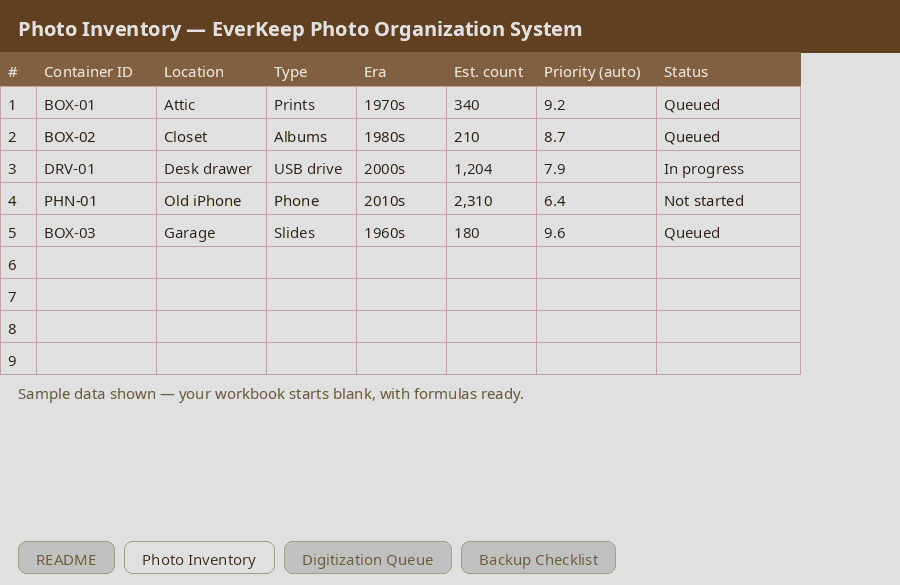
- Photo Inventory with auto priority scores (159 tested formulas)
- Self-sorting digitization queue — always know what’s next
- 3-2-1 backup checklist with completion counter
From order to organized in minutes.
No subscription. No waiting.
Check out securely
Click the button to open the secure checkout, powered by Whop. One-time payment of $19.99 — no subscription.
Get instant access
After purchase, your files are available instantly in the “Download Your Files” lesson in your Whop account. Whop will also email you an order confirmation.
Scan & back up
Work the priority queue one box at a time. Check off the 3-2-1 backup list when every copy is safe.
Real pages from the handbook.
Exactly what you'll receive.
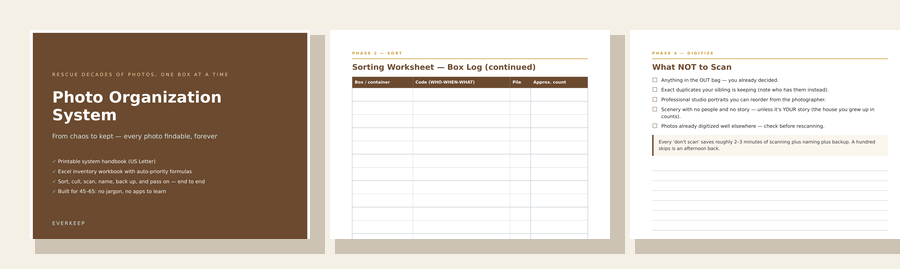
Try a real page first.
Get "Photo Priority Scoring (sample)" free — a real sample from the Photo Organization System, plus practical tips by email. No spam, unsubscribe anytime.
Questions, answered.
Still unsure? Email luhuobk@gmail.com.
Do I need a scanner to start?
No. The first two phases — gathering and sorting — need no equipment at all. Phase 4 includes a DIY vs. scanning-service decision guide so you can choose what fits your budget.
Does it cover digital photos too, or just prints?
Both. The census covers phones, drives, old laptops, and cloud accounts alongside shoeboxes and albums — one system for every photo you own.
What if I have 10,000+ photos? Where do I even start?
That's exactly what the priority score is for. You score each container on age, uniqueness, and damage risk, and the Excel queue tells you which box to open first. One box at a time.
Is this professional archival advice?
No. This is a practical home organization system — general information only, not professional archival, legal, or estate advice. For fragile or valuable originals, consult a professional conservator.
You may also like.
More practical downloads from GoodDock.

Decades of photos. One box at a time. Start this weekend.
58-page handbook + 4-sheet Excel workbook — $19.99, yours forever.
Digital download — no physical item will be shipped.Terms of Use
Photo Organization System is a digital download sold by GoodDock. No physical item will be shipped. Your purchase grants a personal-use license for your household; redistribution or resale is not permitted. Scanning, backup, and storage guidance is general information — service names appear as examples only and offerings change; compare current options yourself. This product is not professional archival, legal, or estate advice.
Privacy
When you purchase, we collect the information needed to complete and deliver the order, including your email address and basic transaction details. The payment provider may collect payment and billing information under its own privacy policy; we do not receive your full card details. You may request access to or deletion of your personal data by emailing luhuobk@gmail.com.
Refunds
Covered by Whop's standard refund policy.